
Landing pages
Landing pages drafted from your buyer and your ad
Give ReadyLift a persona, what the visitor should do and the ad message to match. Ready AI drafts two or three finished versions, each taking a different angle. You can also build by hand, paste your own HTML, or keep the pages you already have.
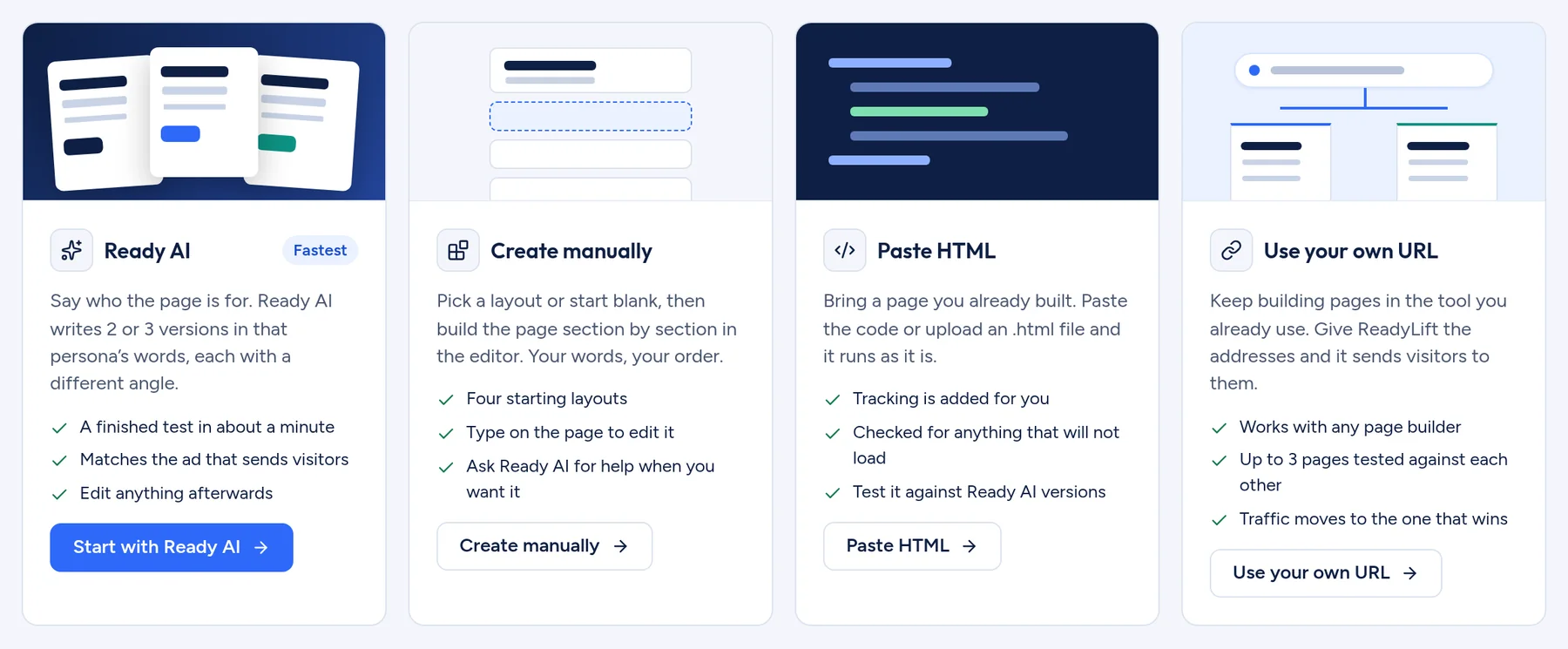
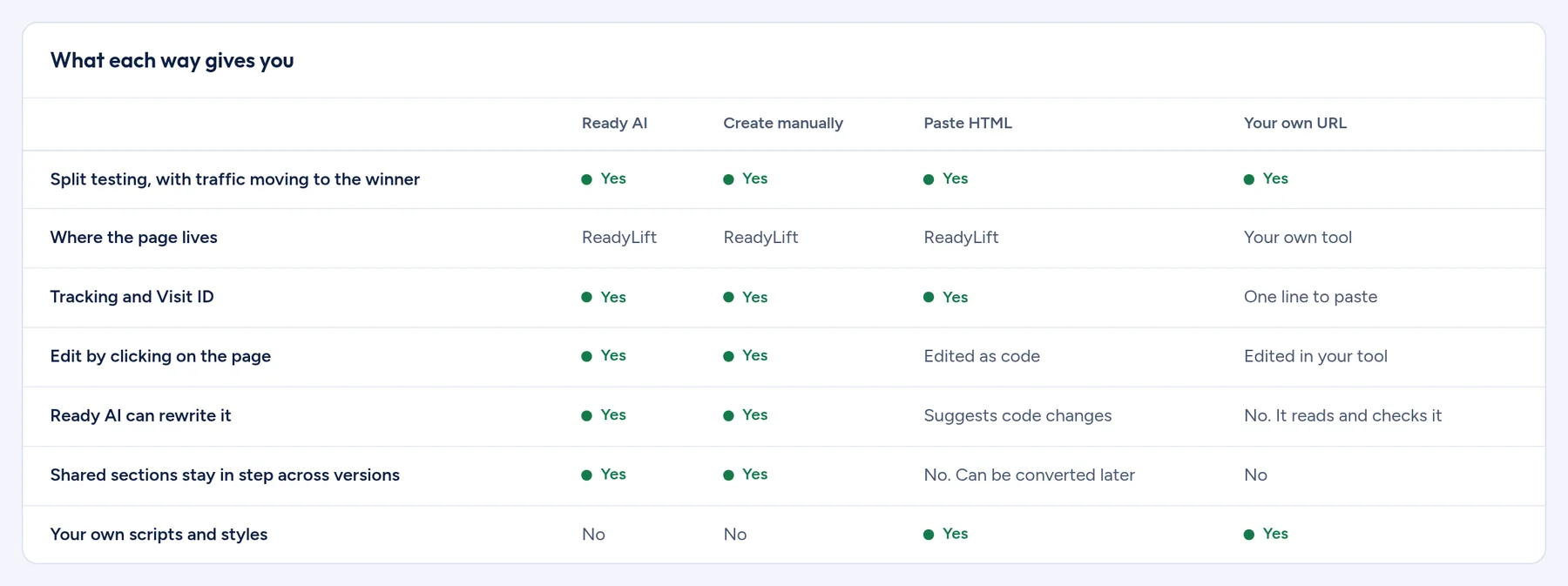
Four ways to start
- Ready AI
- Two or three versions written in a persona’s words, each with a different angle.
- Create manually
- Start from one of four layouts: Blank, Simple offer, Full sales page or Waitlist.
- Paste HTML
- Bring a page built elsewhere. It is checked for anything that will not load, and tracking is added for you.
- Use your own URL
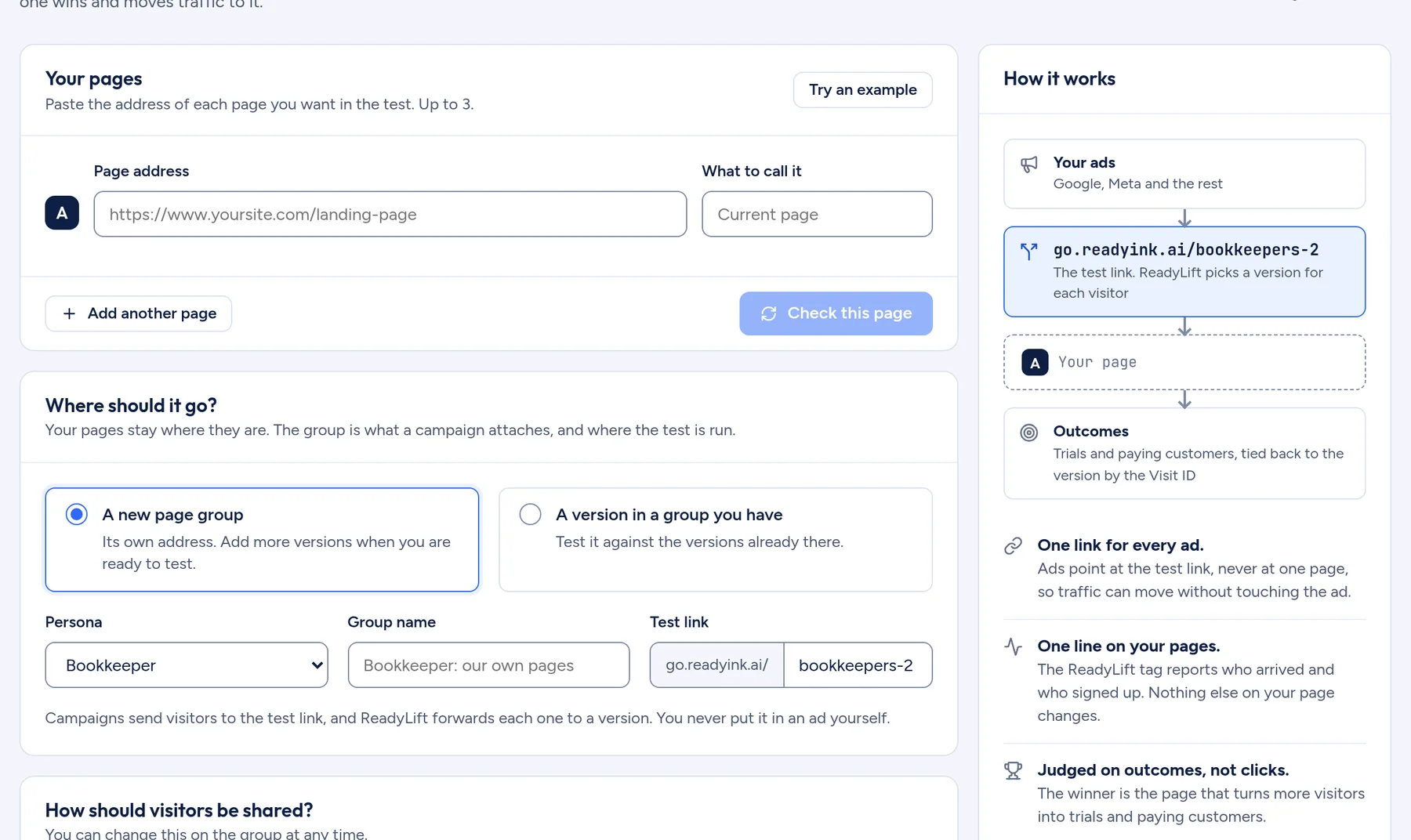
- Keep building in the tool you already use. ReadyLift sends visitors to your pages and measures which one wins.
A brief, not a prompt
The AI path never asks you to write a prompt. It asks for a persona, the action you want and the ad to match, then lets you choose an angle for each version: price, speed, ease, proof or urgency. Each angle quotes the line from the persona that it answers.
One editor, three ways to change a page
Click anything on the page to edit it, change a setting in the side panel, or ask the assistant in plain words. All three stay in step.
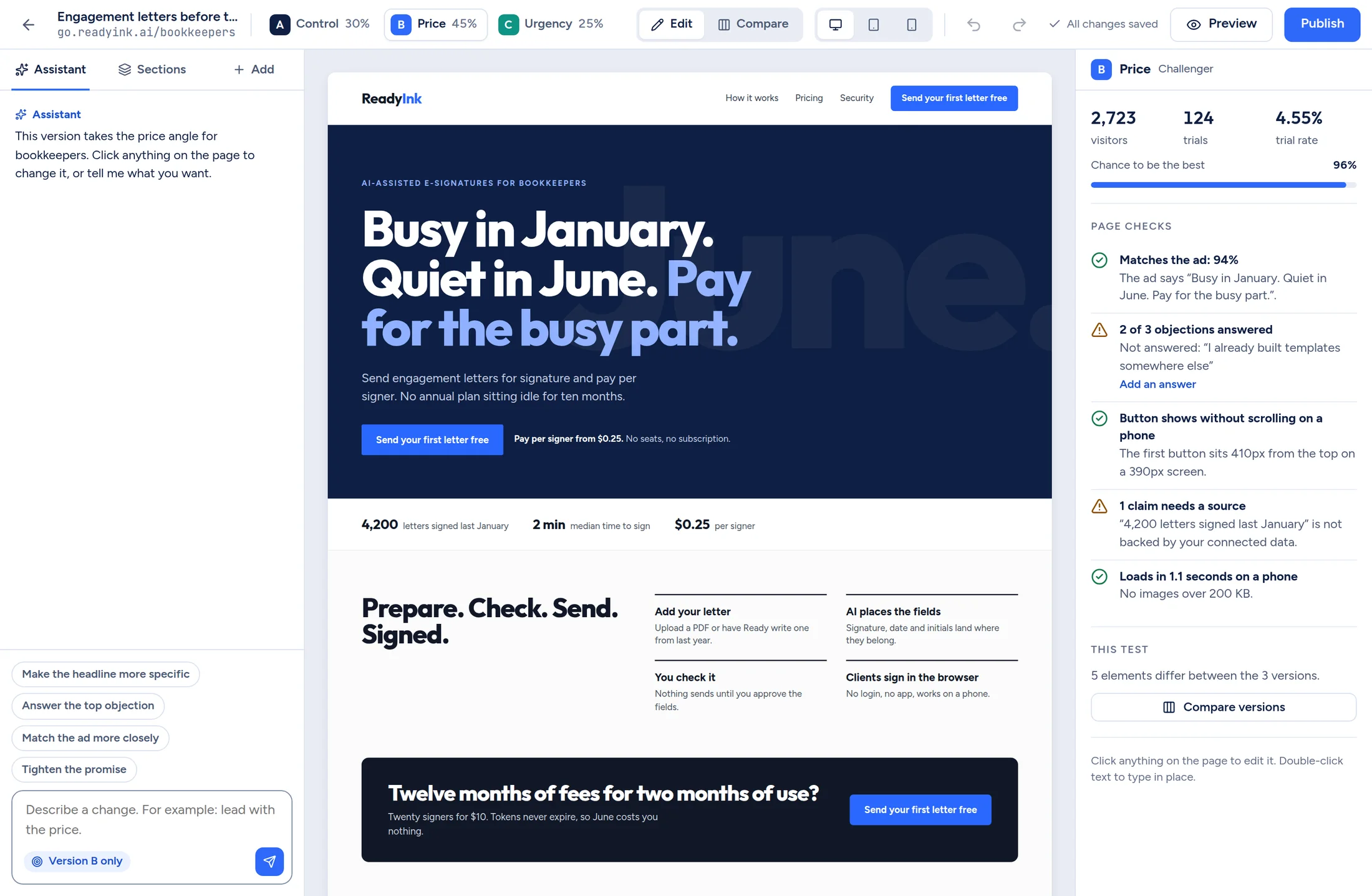
- Each assistant change is a card with Undo.
- Design settings are brand presets, so versions stay consistent and the phone layout holds.
- Compare shows versions side by side with a “Make the same” button for each difference.
- Desktop, tablet and phone previews sit in the top bar.
Five checks before you publish
- Matches the ad. The page says what the ad promised.
- Objections answered. Each objection in the persona has an answer on the page.
- Button visible on a phone without scrolling.
- Claims have a source. Numbers on the page are backed up.
- Loads fast on a phone.
A failing check offers its fix. “Add an answer” inserts a block that answers the objection the page was missing.
On your own domain
Pages built in ReadyLift live on a domain you own. Pages you host elsewhere join a test with the ReadyLift tag.
Works with
See what your ads are really buying
ReadyLift.ai is opening to a first group of SaaS and AI companies. Tell us where you advertise and we will be in touch.