
Campaigns
Build a campaign once and run it on five ad platforms
A campaign picks one persona, one keyword set, one creative set and one landing page group from your library, then runs the same message on every ad platform you have connected.
Seven steps
Basics and goal, persona, keywords, creatives, landing pages, platforms and budget, then review and launch. Every step picks from your library or makes something new on the spot, and anything made there is saved for the next campaign.
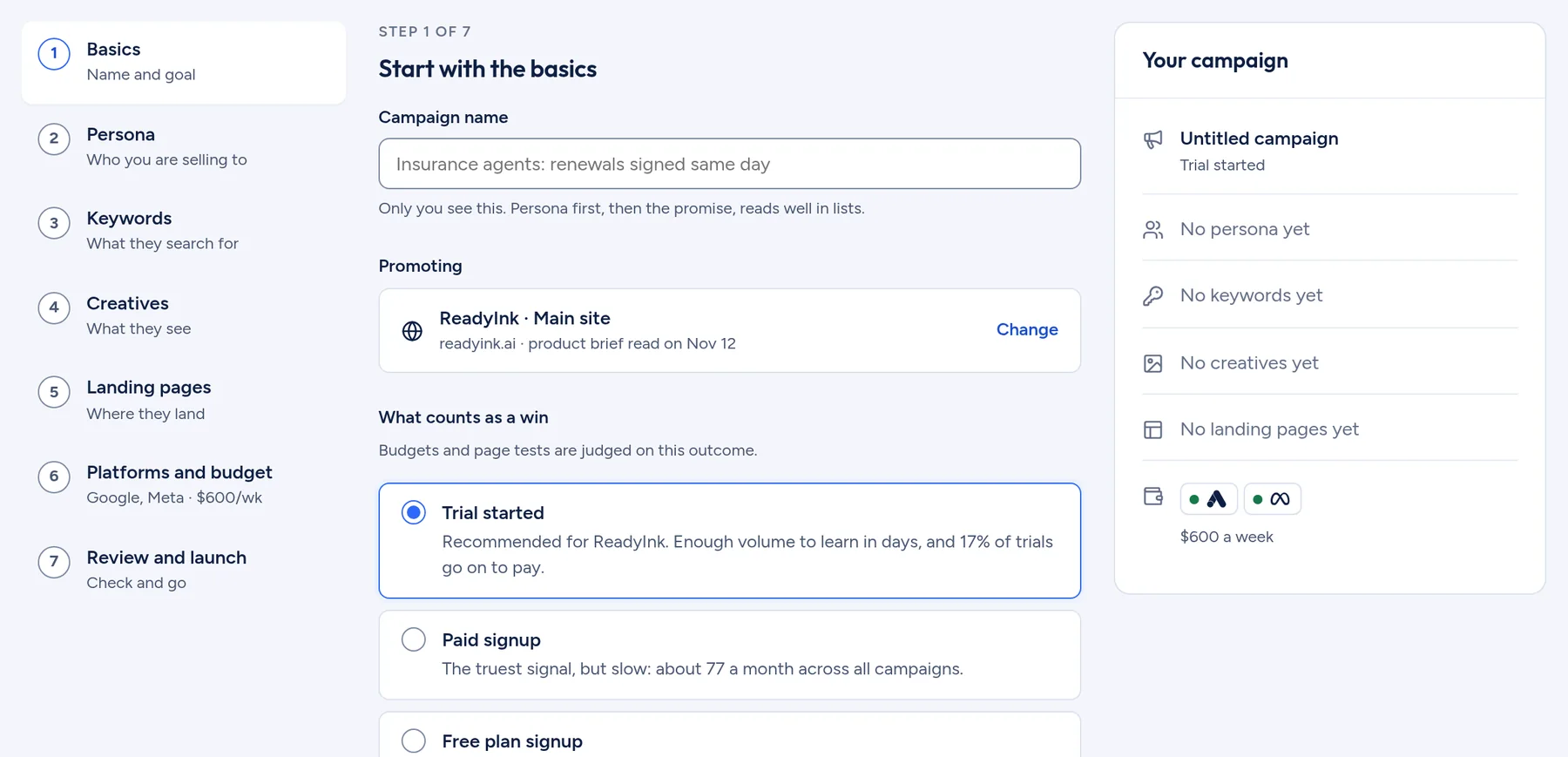
- Items made for the chosen persona are listed first.
- Step six sets platforms, weekly budget, start date and a CAC guardrail.
- Review checks that the ad headline and the page headline match, and flags a platform whose creative is missing something.
- Save and exit keeps a draft that reopens at the step you left.
Built from four reusable parts
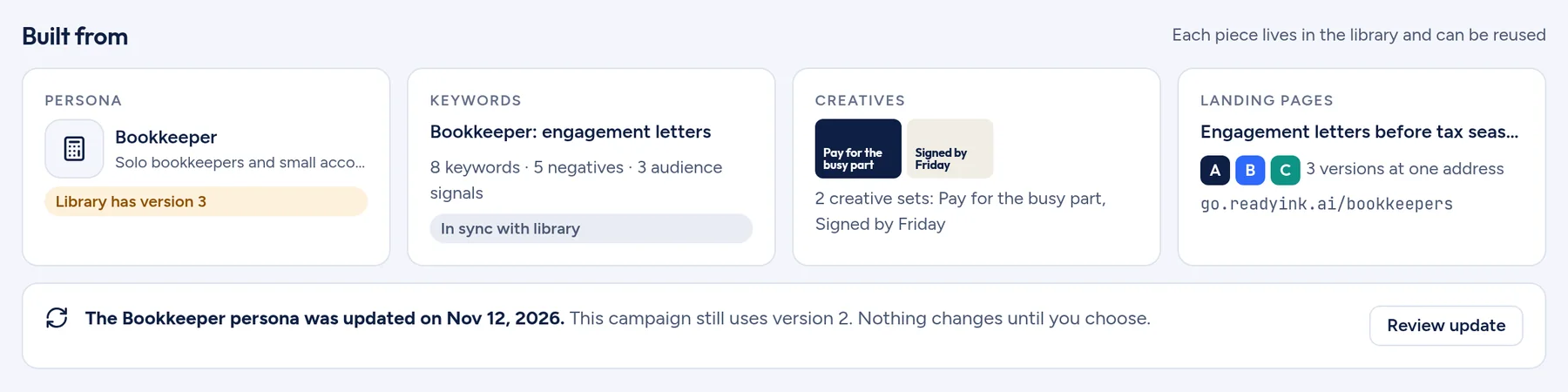
Each campaign shows the persona, keyword set, creative set and page group it was built from. When a library item changes, a running campaign keeps the version it launched with until you choose to update it.
One keyword set for every platform
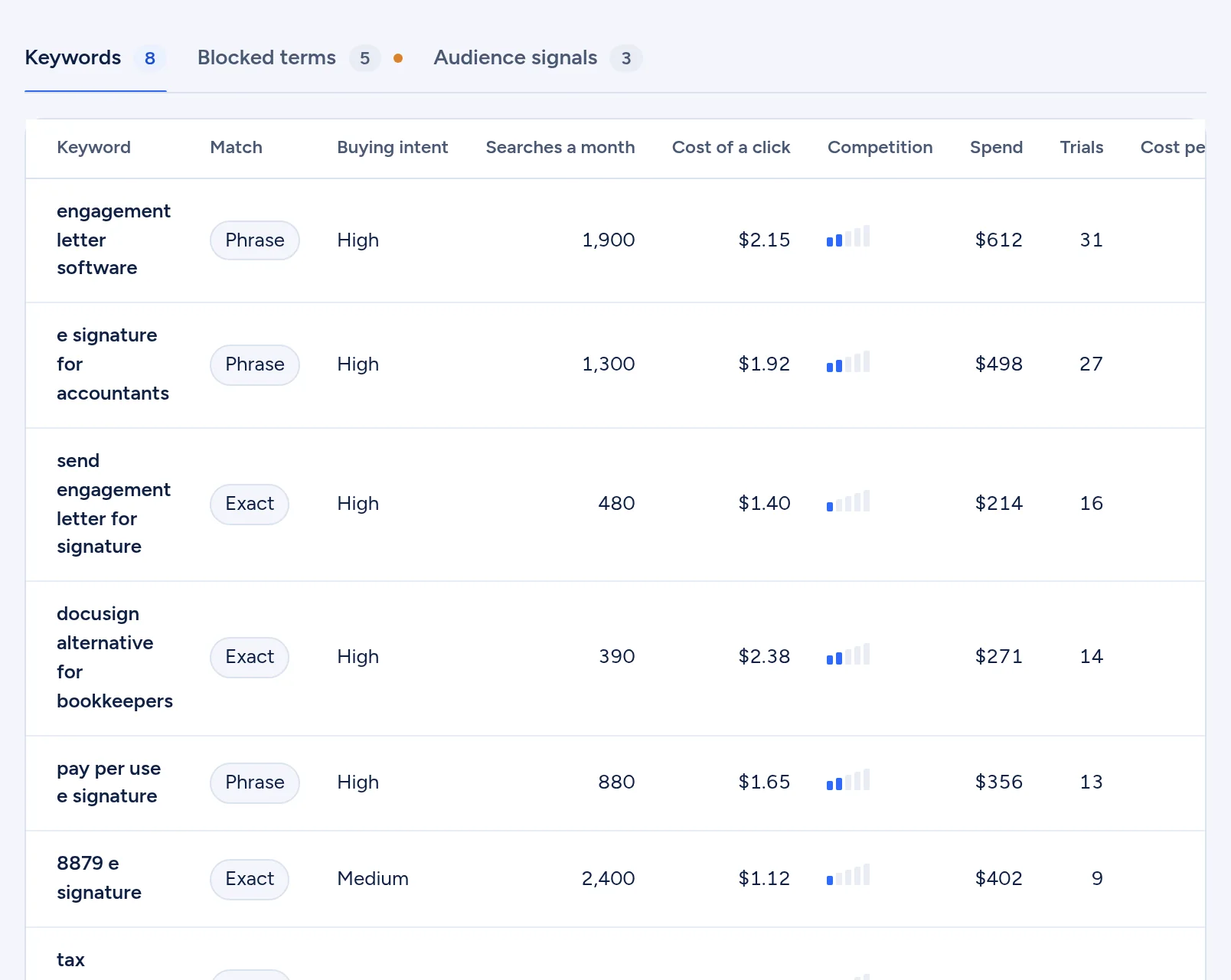
A keyword set holds search terms, blocked terms and audience signals. Each keyword shows match type, buying intent, searches a month, cost of a click, spend and trials. Search terms that spent money and started no trials can be blocked one by one or all at once.
See every platform at once
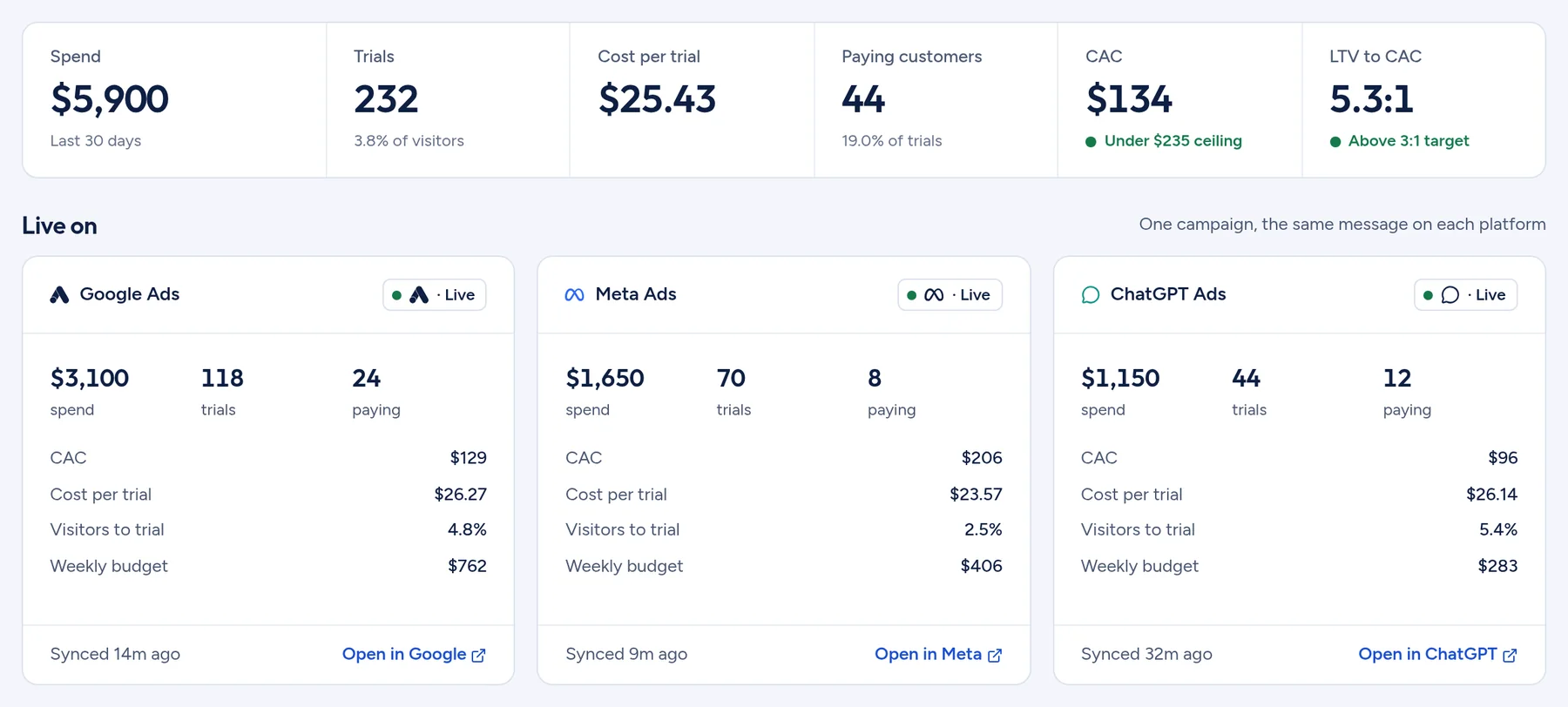
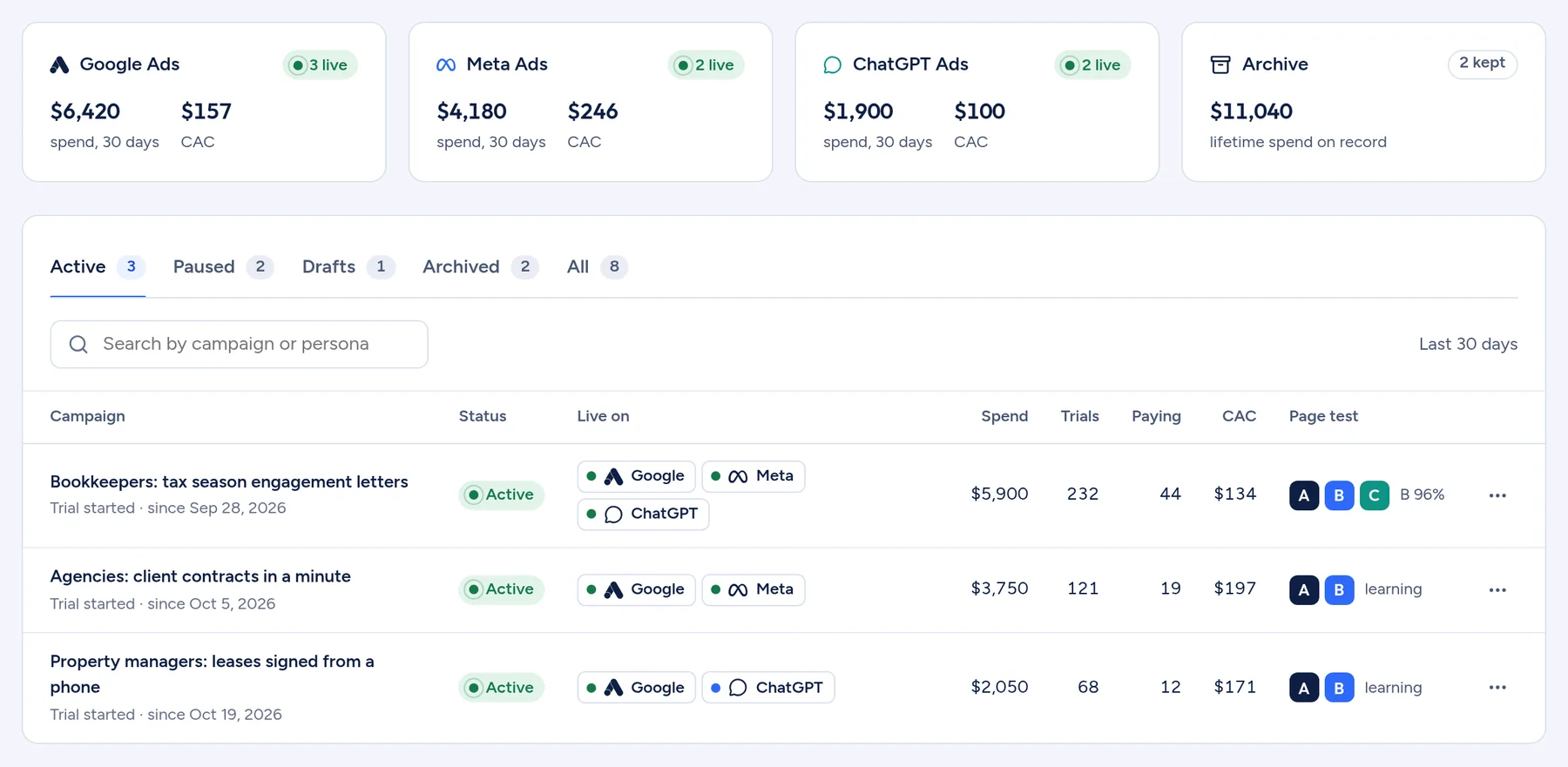
The campaign list shows where each campaign is live, with spend, trials, paying customers, CAC and the state of its page test. Tabs separate Active, Paused, Drafts and Archived.
Campaigns are never deleted
Archiving stops the ads and keeps the results. Restoring brings a campaign back paused. Duplicate a campaign as a draft to change one part and run it again.
Works with
See what your ads are really buying
ReadyLift.ai is opening to a first group of SaaS and AI companies. Tell us where you advertise and we will be in touch.